
What “Krira TV live” means
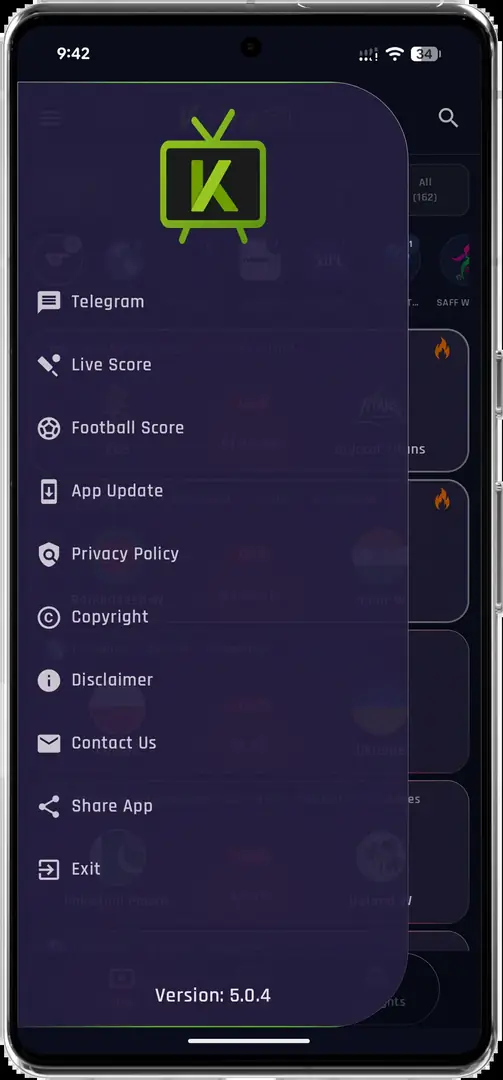
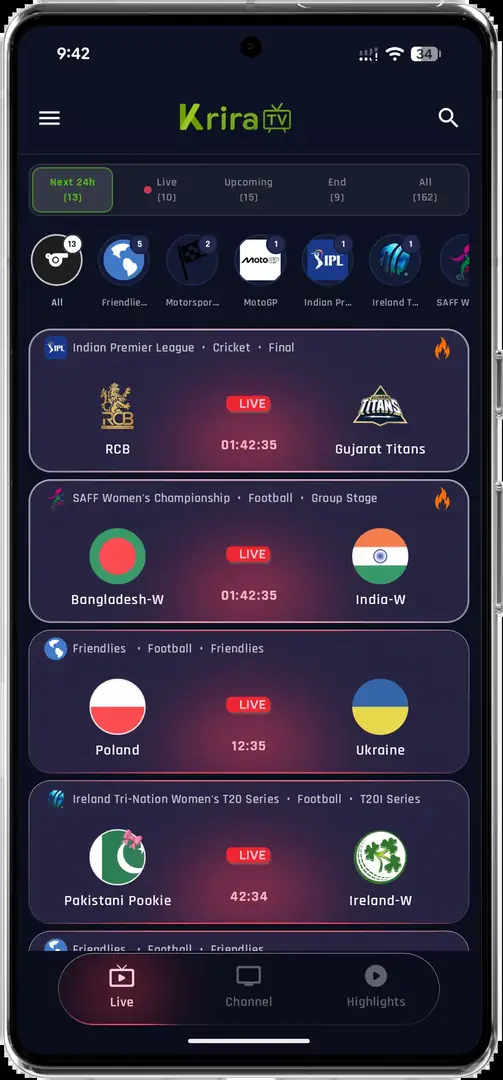
The v6.2.6 interface shown by the associated release source includes event listings, channel browsing and a built-in player. Searchers use Krira TV live to mean finding today's events, opening a channel, checking whether a match is listed or fixing playback. This page explains those jobs without hosting, relaying or embedding a stream.
Live availability is dynamic. An event card can appear before its start time, disappear after an update or fail when a remote source is unavailable. Installing the app does not create viewing rights, bypass geographic restrictions or guarantee every channel.
| Screen | What it helps you do | What it does not prove |
|---|---|---|
| Events | Browse listed fixtures | That an event will start or remain available |
| Channels | Open a category or entry | That it is licensed in your location |
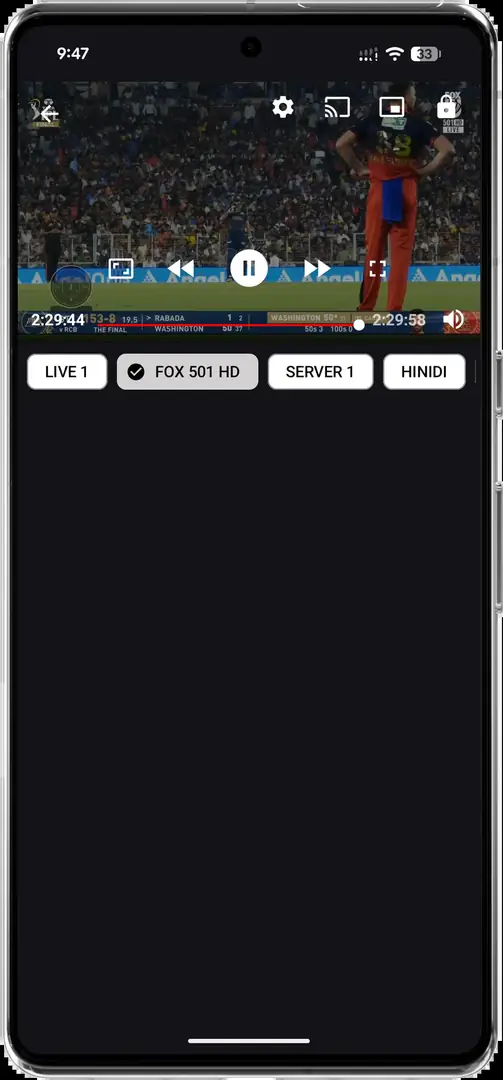
| Player | Start playback and choose quality | That the source is stable, official or safe |
How to find a live event or channel
Start from the home or events screen and compare the event name, competition, status and scheduled time. Use the exact team, sport or channel name when search is available. A time-zone difference is a common reason an event appears early or seems missing.
When several playback entries appear, begin with the default or lower-bandwidth choice. Do not install a second APK, codec bundle or activation app merely because one item fails.
- Confirm the eventCheck the name, date, start time and live or upcoming status.
- Open one sourceChoose one listed option and wait for initialization.
- Lower qualityTry Auto, 480p or 720p before assuming the event is unavailable.
- Return safelyGo back to the list instead of accepting unrelated downloads or permissions.
Playback quality, data use and device limits
The v6.2.6 release notes list Auto, 480p, 720p and 1080p. Higher resolution normally needs more sustained bandwidth and data. Exact usage depends on the codec, frame rate and source, so fixed per-hour estimates are approximate.
For mobile data, start lower and monitor usage. On Android TV or an emulator, confirm the device can decode the selected quality without overheating, dropped frames or audio delay. See the Smart TV guide or PC guide for device-specific limits.
| Quality | Good starting point | Trade-off |
|---|---|---|
| Auto | Changing connections | Quality may shift |
| 480p | Mobile data or slower Wi-Fi | Softer on large screens |
| 720p | Stable broadband and phones | More data and decoding load |
| 1080p | Large screens and strong connections | Highest bandwidth demand |
Why Krira TV live may not be working
Separate an app problem from a single-event problem. If menus and other items load, one remote source may be offline, region-limited or not started. If nothing loads, check the network, Android date and time, storage, app version and whether a VPN, DNS filter, firewall or battery restriction interferes.
Do not uninstall immediately if you want to preserve settings. Compare the version record and follow the update guide. A matching SHA-256 confirms byte consistency, not app or stream safety.
- Wait until the scheduled start and refresh once.
- Try a lower quality or another listed source without extra software.
- Test Wi-Fi and mobile data separately when permitted.
- Restart the app and device before clearing storage.
- Stop if unrelated accessibility, device-admin or profile permissions appear.
Rights, privacy and source checks
Streaming rights vary by event, provider and country. Use only content you are authorized to access and respect local law, subscriptions and geographic restrictions. Krira TV Wiki does not operate the app, playback servers or channels.
Before sideloading, review the source page, final host, version, file size and hash. Keep Android and Play Protect updated, review permissions and remove downloaded APK files when no longer needed. Read the Download Policy for evidence standards.
This independent guide does not provide live links, channel credentials, access codes or a browser player.
Krira TV Live FAQ
Can I watch Krira TV live in a web browser?
This site has not verified a publisher-operated browser player. The checked product is an Android APK, and this page does not host streams.
Why is an event listed but not playing?
It may not have started, the remote source may be offline, the event may be region-limited or the connection may not sustain the quality.
Which quality should I choose?
Start with Auto or 720p on stable broadband and 480p on slower or metered connections.
Does v6.2.6 guarantee every channel?
No. The release source lists live-sports features, but event and channel availability remains dynamic.
What is the latest checked version?
The associated release page still listed v6.2.6 on July 20, 2026. Two linked mirrors returned 11,652,593 bytes with SHA-256 05CE77D1179977E12C993732D41BAB3E271D0D733065C35FFA56F30B7EC95F45.