Will Krira TV work on your Smart TV?
The phrase Smart TV covers several unrelated operating systems. Krira TV is distributed as an APK, so the practical target is a television, streaming stick or set-top box that runs Android TV, Google TV or another Android-based system with permission to install unknown apps. The brand on the bezel is less important than the operating system shown in Settings. A Sony, TCL, Hisense or Philips television may use Android TV or Google TV, while another model from the same manufacturer may use a different platform.
Open Settings and look for Android version, Google TV, Play Store, Apps, Security or Install unknown apps. If the device has only Samsung Apps, LG Content Store, Roku Channel Store or Apple TV App Store, an APK cannot be installed directly. Do not rename the file, convert it to another extension or trust a website that promises an automatic APK-to-Tizen or APK-to-webOS conversion. Use a compatible Android TV box, casting from a phone, or the platform's legitimate apps instead.
Performance also depends on storage, CPU architecture, memory, network quality and whether the app interface supports a television remote. The source page lists Android 6.0 or later, but that phone-oriented minimum does not guarantee comfortable TV use. Keep at least several hundred megabytes free for the installer, temporary files and app data, and plan a simple exit route before changing security settings.
| TV platform | Can install APK? | Recommended approach |
|---|---|---|
| Android TV / Google TV | Usually yes | Use USB, Downloader or a trusted local transfer method |
| Amazon Fire TV | Often yes | Enable installation for the selected downloader app and verify every URL |
| Samsung Tizen | No direct APK support | Use casting or a separate Android TV device |
| LG webOS | No direct APK support | Use casting or a supported external player/device |
| Roku / Apple TV | No direct APK support | Use platform-supported apps or screen casting |
A television advertised as smart is not automatically Android-based. Confirm the operating system and sideload controls before downloading anything.
Verify the Krira TV v6.2.6 APK before moving it to the TV
Complete the verification on a phone or computer where filenames, byte sizes and checksums are easier to inspect. The associated release page currently lists Krira TV v6.2.6 with an approximate size of 11.1 MB. On July 30, 2026, the disclosed mirror returned app-release.apk at exactly 11,652,593 bytes. Its SHA-256 was 05CE77D1179977E12C993732D41BAB3E271D0D733065C35FFA56F30B7EC95F45. If any of those values differ, stop and return to the source page rather than forcing the installation.
A checksum answers a narrow question: whether two files contain the same bytes. It does not prove the identity of the developer, ownership of streams, absence of malicious behavior or future safety. Because Krira TV is distributed outside Google Play, review the final host, scan the file with the protections available on your computer or Android device, and avoid mirrors that add an installer wrapper, browser extension, registration form or payment step.
Keep the original filename until the check is complete. If you transfer the APK by USB, eject the drive safely and compare the file size again on the television when the file manager exposes it. If the transfer app changes the filename, confirm the hash on the receiving device when possible. Never install an EXE, ZIP, XAPK or unrelated package merely because it appears beside the Krira TV name.
- Listed version: v6.2.6
- Checked filename: app-release.apk
- Checked size: 11,652,593 bytes, about 11.11 MB
- Checked SHA-256: 05CE77D1179977E12C993732D41BAB3E271D0D733065C35FFA56F30B7EC95F45
- Source page: kriratv.com/download/
Method 1: install Krira TV on Android TV with a USB drive
USB installation is the clearest method because the download and verification happen away from the television browser. It also leaves a local copy that can be compared before installation. Use a clean USB drive formatted in a file system your television can read, copy only the checked APK to an obvious folder, and avoid carrying unrelated installers on the same drive.
Menu names vary by Android TV version. The permission may appear under Security and restrictions, Special app access or Install unknown apps. Grant permission only to the file manager you will use, install the package, and disable that permission afterward. If the television does not include a file manager, install a reputable one from the Play Store rather than downloading a random manager from the web.
During installation, read the app name and permissions displayed by Android. Cancel if the package name, icon or requested access looks unrelated to streaming playback. When installation finishes, open Krira TV from Settings > Apps if it does not appear in the home-row launcher. Some phone-oriented apps are placed under system apps or sideloaded apps instead of the main television catalog.
- Download and verifyUse the source-disclosed link on a computer or phone, then confirm v6.2.6, 11,652,593 bytes and the SHA-256 value.
- Copy to USBPlace app-release.apk in the root folder or a clearly named Krira-TV folder and eject the drive safely.
- Allow the file managerOn the TV, permit unknown-app installation only for the file manager that will open the APK.
- Install the APKOpen the USB drive, select app-release.apk, review the Android prompt and choose Install.
- Restore the security settingRemove the file manager's install permission after the app launches successfully.
- Test before signing inCheck remote focus, back-button behavior, orientation, audio and one short playback session first.
Method 2: use Downloader or local file transfer
A browser or Downloader-style app can be convenient on Android TV and Fire TV, but typing shortened URLs with a remote increases the chance of opening the wrong host. Prefer the full disclosed source page, inspect the final domain before saving, and reject pages that redirect through advertisements or request notification permission. The site does not provide a numeric Downloader code because such codes can be reassigned and hide the destination.
A local network transfer from your phone or computer is often safer than television browsing. Use a trusted app already installed from the device's official store, send the verified APK over the same home network, and confirm the receiving filename and size. Bluetooth can work for small files but is slower and may make it difficult to verify the final path. Cloud-drive methods add another account and should not require public sharing links.
On Fire TV, Developer Options and Install unknown apps may be hidden until the device enables developer controls. Change only the setting required for the selected downloader, and turn it off after installation. Fire OS is Android-based, but remote behavior and launcher visibility can still differ, so the same post-install tests remain necessary.
A short code is not evidence of a safe file. Use a visible source URL and verify the final host, version, byte size and hash.
Remote control, landscape mode and playback expectations
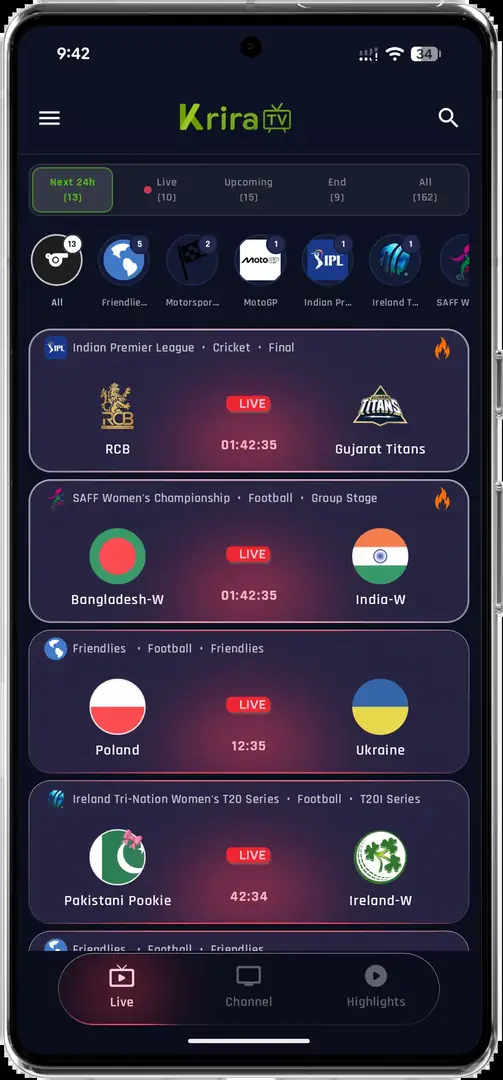
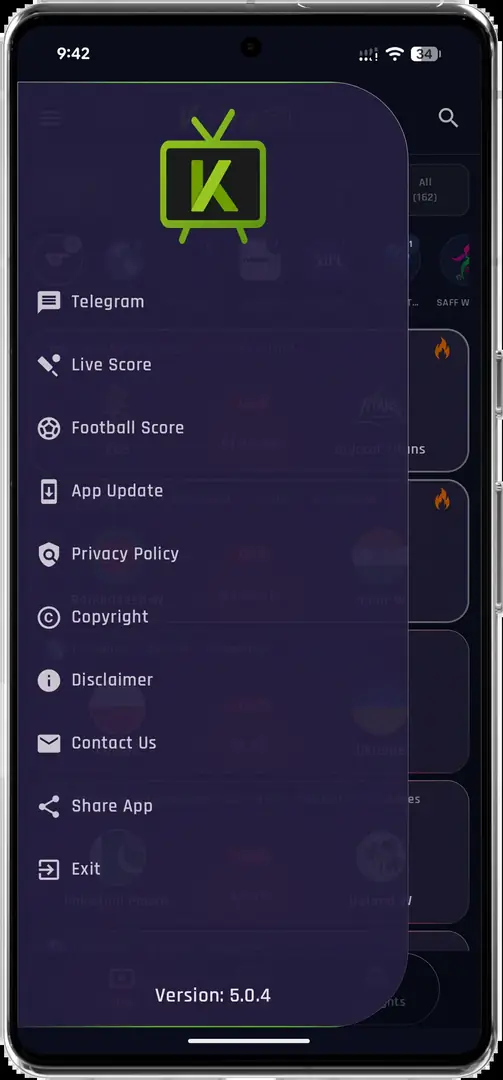
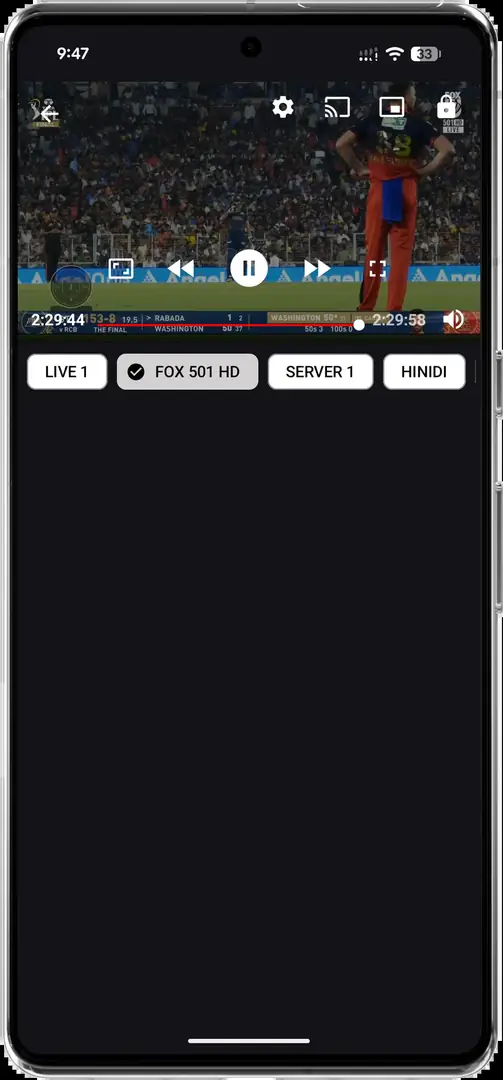
The available Krira TV screenshots show a portrait Android interface. On a television, the app may remain vertical, stretch to fill the screen or expose controls that are easier to tap than to focus with a directional pad. A successful install therefore does not guarantee a native ten-foot interface. Test every essential action with the remote: opening an event, moving between tabs, returning from the player, changing volume and exiting the app.
If focus becomes trapped, try the Back button before using mouse emulation. Some Android TV remotes support an air-mouse mode, while other devices can pair a Bluetooth mouse. Treat that as a workaround, not proof of full compatibility. Avoid accessibility services or remote-control APKs from unknown websites merely to make one app navigable, because those services can obtain broad control over the device.
Playback quality depends on the stream, app server, codec support, Wi-Fi and device hardware. Use Ethernet or 5 GHz Wi-Fi when available, close heavy background apps and test a lower-quality stream before changing system settings. Krira TV Wiki cannot verify channel availability, geographic rights or continuous uptime, and the presence of a channel name in the interface is not a guarantee that playback will work.
Fix Krira TV Smart TV installation and playback problems
A parse error usually points to an incomplete file, an unsupported Android version or a package the device cannot read. Delete the transferred copy, download again from the disclosed source and compare the exact size and SHA-256. If Android reports App not installed during an update, the existing app may use a different signing certificate. Do not uninstall immediately if you need saved settings; first review the Krira TV update guide and record the current version.
When the app opens but the remote cannot select controls, connect a mouse temporarily or use the television's mobile remote app if it offers a touchpad. If the picture is rotated, check whether the device has an orientation setting; avoid unknown rotation-control APKs. A black player with audio can indicate a codec or hardware-decoding issue, while buffering across all apps more often points to the network.
If only Krira TV streams fail, test later and compare with another network without bypassing local laws or service restrictions. Clear the app cache before clearing all data. Reinstall only after recording the verified APK source and checking whether v6.2.6 remains current. Do not repeatedly grant storage, accessibility, VPN or device-admin permissions as a generic troubleshooting step.
| Problem | Likely cause | Safer first action |
|---|---|---|
| Parse error | Incomplete file or unsupported Android build | Redownload and verify size/hash; check Android version |
| App not installed | Signature conflict or insufficient storage | Keep data, review update path and free storage |
| Icon missing | Sideloaded app hidden by launcher | Open Settings > Apps or use a trusted sideload launcher |
| Remote cannot focus | Phone-oriented controls | Try Back, official remote touchpad or a temporary mouse |
| Black screen or buffering | Codec, stream or network issue | Test another stream and another legitimate app/network |
Update, remove or roll back Krira TV on a television
For future updates, return to the source page and repeat the version, size and checksum checks. Android normally installs an update over the existing app only when the package identity and signing certificate match. If the update prompt asks to install a separate app, stop and investigate. Keep the current verified APK until the new build opens, navigates and plays correctly, but do not build an unverified archive of old files.
To remove the app, use Settings > Apps > Krira TV > Uninstall rather than deleting only the APK from Downloads. Removing the installer does not uninstall the app, and uninstalling can delete local preferences. Also revoke unknown-app permission from the file manager or Downloader, remove leftover APK files from USB/internal storage and clear any browser download permissions you enabled for the process.
Rollback should be a last resort because an older build may no longer connect to its services and may expose fixed bugs. A trustworthy rollback needs a recorded source URL, version, date, size, checksum and compatibility reason. The Krira TV versions page separates the current source record from older references and does not promote files whose evidence is incomplete.
- Keep unknown-source permission disabled when you are not installing an update.
- Do not assume a higher version number is genuine without a first-party or associated source.
- Preserve settings before uninstalling if the app offers an export or backup option.
- Remove copied APK files after the installation and verification are complete.
- Recheck the source date before following an old television tutorial.
What to do when your television cannot install Krira TV
If the TV uses Tizen, webOS, Roku OS or tvOS, do not search for a fake APK converter. The simplest option is usually casting or screen mirroring from a compatible Android phone, provided the stream and app allow it. Casting keeps the APK on the phone, but battery use, notifications, aspect ratio and playback stability can affect the experience.
A separate certified Android TV or Google TV device creates a clearer boundary than modifying the television firmware. Keep the external device updated, use a guest or limited account where practical and disconnect it if you no longer trust the installed app. For laptop playback, follow the Krira TV for PC guide, which explains Android emulators and does not present an APK as a native Windows installer.
Choose the method that requires the fewest permanent security changes. If the device cannot show the source URL, file details or permission prompt clearly, complete those checks elsewhere or skip the installation. Convenience is not a reason to hide the distribution chain.
This guide covers the Android APK on Android-based TV devices. It does not claim an official Samsung, LG, Roku or Apple TV edition exists.
Krira TV for Smart TV FAQ
Can I install Krira TV on any Smart TV?
No. Direct APK installation is generally limited to Android TV, Google TV, Fire TV and some Android-based boxes. Samsung Tizen, LG webOS, Roku and Apple TV do not install Android APK files directly.
What is the latest checked Krira TV version for Android TV?
The associated source page listed v6.2.6 on July 30, 2026. The checked mirror file was 11,652,593 bytes with SHA-256 05CE77D1179977E12C993732D41BAB3E271D0D733065C35FFA56F30B7EC95F45. Recheck the source before installing because this can change.
Can I use a Downloader code for Krira TV?
This site does not publish a numeric code because a code hides the destination and may be reassigned. Use the visible source page, inspect the final host and verify the APK details.
Why does Krira TV appear vertically on my television?
The available interface is phone-oriented and may remain in portrait mode. Test scaling and remote focus; use a legitimate mouse or remote touchpad only as a temporary workaround.
Why does Android TV say App not installed?
Common causes include a signature conflict with an existing build, insufficient storage, a damaged transfer or an incompatible Android version. Preserve app data, verify the APK again and review the update guide before uninstalling.
Is the matching SHA-256 proof that Krira TV is safe?
No. It proves that the downloaded bytes match the checked file. It does not prove publisher identity, malware-free behavior, content rights or future safety.