What the Krira TV app does
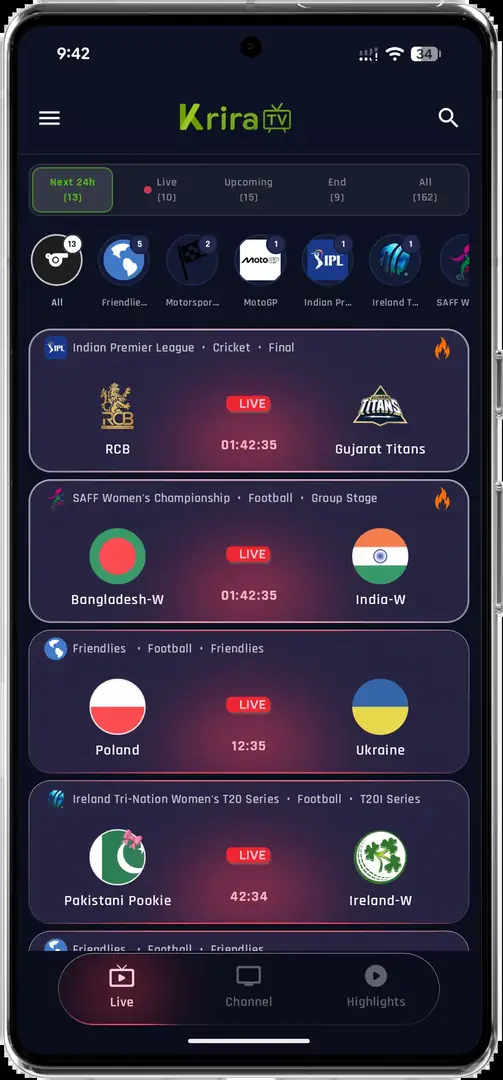
The Krira TV app presents a sports-focused home screen where a visitor can look for listed events, teams or channels before opening a playback view. The associated release page describes the product as an Android application distributed outside Google Play. That distribution detail matters: the feature list belongs to a sideloaded APK record, so the file source, version and package identity should be checked before installation.
The screen below is useful for recognition, not for proving that a particular match is currently available. Event lists, channel names, artwork and remote servers can change independently of the installed app. For current APK details, use the Android download guide; for publisher and package comparisons, use the official-app verification page.
- Browse the event list shown by the installed release.
- Move between event, channel and search views when those controls are available.
- Open an available item in the built-in playback screen.
- Treat server or rights availability as a separate issue from app installation.
A screenshot or release note can show that a control exists. It cannot guarantee a working stream, a specific event, uninterrupted uptime or lawful availability in every location.
Krira TV app features in the current source record
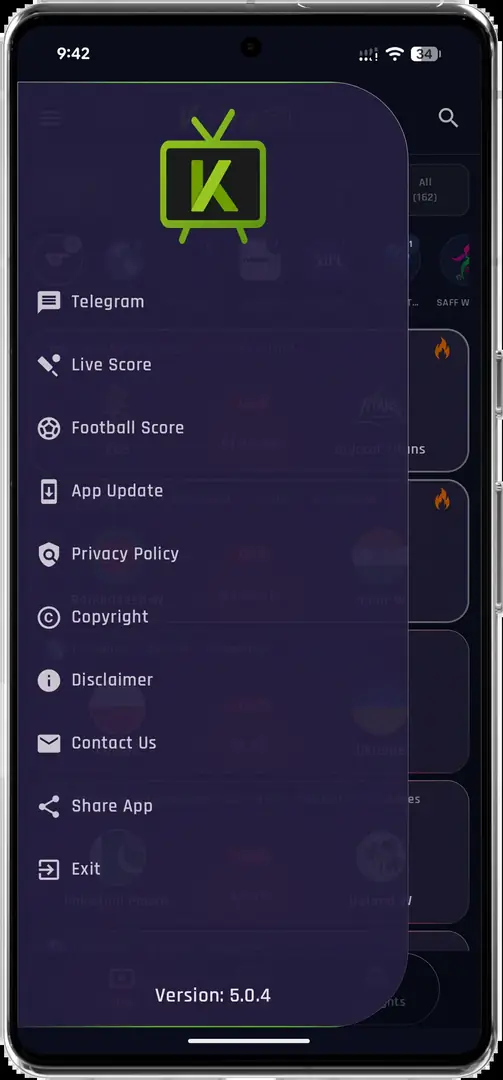
The current source record and its interface support a practical feature summary rather than a marketing promise. A visitor can expect the app to organize sports content around events and playback, while the actual choices depend on what the remote service returns. Search results also connect Krira TV with football, live events and an Android APK, but those phrases describe different jobs and should not be treated as proof of a specific channel catalogue.
The release notes associated with v6.2.6 mention live-score notifications, selectable quality and changes to match cards and stream loading. These are source-attributed notes. They are included here so readers can compare the release record with the installed interface, not as independent performance testing.
- Event discovery for listed sports matches and programmes.
- Channel or category navigation when the source returns those entries.
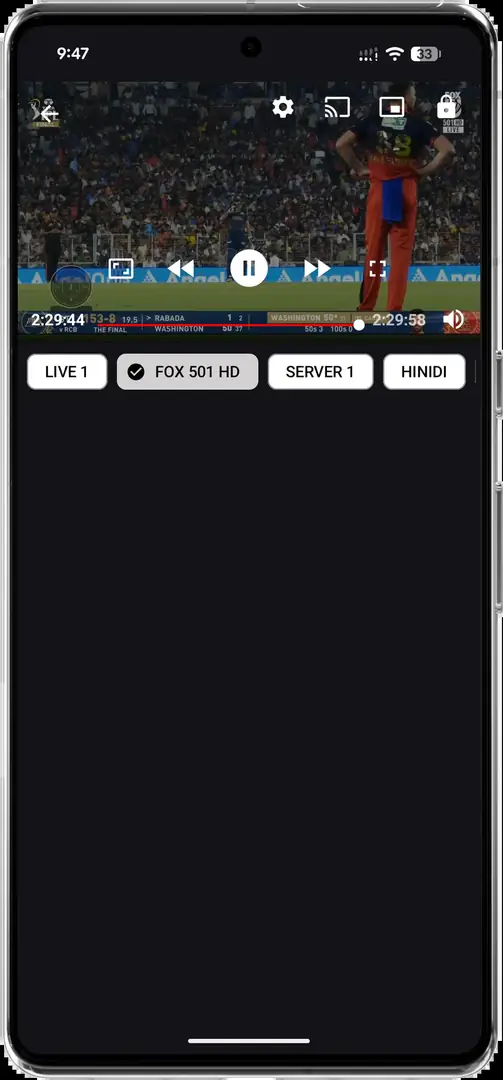
- A built-in player with portrait or landscape playback views.
- Quality choices such as Auto, 480p, 720p or 1080p when offered by the release or stream.
- Source-listed notification and loading improvements that may vary by release and network.
Playback, quality and live-event limits
The Krira TV app can open a playback screen, but the player is only one part of a live viewing chain. The device must decode the video, the network must reach the remote service, the event must still be listed, and the provider must be able to serve it in the visitor's location. A blank event list or spinning player therefore does not automatically mean that the APK is broken.
Start with a lower quality if the stream buffers, compare Wi-Fi with mobile data where appropriate, and test a second listed event. If every event fails, use the Krira TV troubleshooting guide. The live guide explains the difference between app navigation, playback errors and service-side availability.
- Check the event listConfirm that the item is still listed instead of assuming that an empty screen is an installation failure.
- Try a conservative qualityAuto or a lower resolution can reduce buffering when the network or device is under load.
- Separate app and service faultsIf the app opens but one event fails, the remote source or rights window may be the limiting factor.
- No app feature can create an event that the remote service does not publish.
- Installing an APK does not grant subscription, broadcast or copyright permissions.
- Do not install a second ‘player’ bundle just because a stream fails.
Availability can vary by country, event and provider. Follow the rights and access rules that apply to the content you watch.
Which devices support the Krira TV app?
The clearest compatibility path is an Android phone or tablet that meets the release page's Android requirement. Other platforms need a different runtime or a different app listing. Do not download an EXE, IPA or ‘TV converter’ simply because a search result uses the Krira TV name.
| Platform | What the feature evidence supports | Best next step |
|---|---|---|
| Android phone or tablet | Direct APK use is the primary path when the device meets the listed Android requirement. | Review the source-linked APK record before installing. |
| Android TV or Google TV | The app may work when the TV accepts compatible Android sideloading, but remote navigation and screen layout need testing. | Follow the Smart TV installation guide. |
| Fire TV | Fire OS uses an Android-based path but adds Downloader, remote and orientation considerations. | Use the Firestick guide. |
| Windows 10/11 or laptop | An Android APK is not a native Windows application. | Use the PC emulator guide, not an unexplained EXE. |
| iPhone or iPad | Apple devices do not install Android APK files. | Read the iOS availability guide and verify any native listing separately. |
Version notes and update boundaries
As checked on August 6, 2026, the associated release page still presented v6.2.6 as the Android release record we could verify. The listed file was about 11.1 MB and the page stated Android 6.0 or later. Those details are time-sensitive: they describe the source page at the check date, not a permanent promise that every mirror or search result carries the same file.
If you already have the app installed, an update should normally be installed over the existing package only when package identity and signing certificate match. A signature conflict, parse error or changed file size is a reason to stop and recheck the source. The version evidence page separates the current record from older v5.x references, while the update guide covers data-preserving recovery.
- Compare the source recordCheck the version, file name and size shown by the source-linked release before opening a new APK.
- Keep the existing app until the match is clearDo not uninstall first if preserving local data matters and an in-place update may still work.
- Recheck after installationOpen the app, review permissions and confirm that the interface and package behave as expected.
SHA-256 can show that downloaded bytes match a checked file. It does not prove publisher identity, malware-free status, legality or future stream access.
Who should use this app guide?
This page is for readers who see ‘Krira TV app’ in search results and want to understand what the application does before choosing a platform or download path. It is not a claim that the app is official, safe for every device or available in every country. The separate official-app page compares the publisher-associated source with a similarly named Google Play listing, because identical names do not establish identical packages.
Keep Android security features enabled, review permissions, avoid unknown companion APKs and stop when a site asks for a password, activation code or security bypass that the source record does not explain. For source selection and correction rules, read the download policy.
- Use the Android path when you have a compatible device and can verify the source record.
- Use platform-specific guides instead of forcing an APK onto Windows or iOS.
- Treat live availability, rights and remote-server behavior as separate from app features.
- Do not enter sensitive credentials into an APK or companion player you cannot identify.
Go to the Krira TV APK download page for the current source-linked record, checksum and Android installation steps.
Krira TV app features FAQ
What is the Krira TV app used for?
It is an Android sports-streaming application for browsing listed events or channels and opening available playback views. The exact catalogue and uptime depend on the remote service, so the app interface is not a guarantee that every event will play.
What are the main Krira TV app features?
The visible feature set includes event discovery, channel or category navigation, search where provided, an in-app player and quality choices when the release or stream exposes them. Source notes mention notification and loading changes for v6.2.6, but those notes are not independent performance tests.
Does the Krira TV app work on Android TV?
It may work on compatible Android TV or Google TV devices that allow Android sideloading, but remote navigation and layout need testing. Follow the Smart TV guide rather than assuming every Smart TV platform supports an APK.
Can I use the Krira TV app on a Windows PC?
Not as a native Windows EXE. A compatible Android emulator can provide an Android runtime; use the PC guide and avoid unexplained Windows installers that borrow the app name.
Is the Google Play app with the same name the same package?
A matching name is not enough to establish identity. Compare the publisher, package name, screenshots and update source on the official-app verification page before treating two listings as the same application.
Do Krira TV app features prove that streams are legal or always available?
No. Features describe the application interface. Stream availability, rights and geographic access are separate questions, and installing an APK does not grant permission to watch protected content.